Thursday, June 21, 2012

Order-level sales credit total () must equal 100%

This error could appear when you are doing a material return from a sales order.  
Material return workflow need to create a special sales order(return type). Most cases it has been created  as a copy of original and not all fields are copy from source to target. One of these missed fields are Sales Credits , so for fixing this problem you have to inform in target sales order all data regarless Sales Credit.  For do use using  Actions| Sales Credits. In the picture below you can see more details:


Monday, June 11, 2012

Set mandatory fields depending a condition in forms using personalization


Initially you have to know which fields are involved. So one field controls the condition and other field become required depending value of first field.

For this example in Payments (AP responsability)we need Payment Rate(Rate_dsp ) field be required when Account Currency(Currency_code) not equal to EUR.


1. Create condition:
navigate to (Help|Diagnostics|Custom Code|Personalize) and see picture below:


2.make a field be Required if condition rule(above image) is evaluated to true.Navigate to the second Tab called "Actions" and enter a new action as you see in image below:


Tuesday, June 5, 2012

Set mandatoy fields in forms using personalization


From required form, navigate to (Help|Diagnostics|Custom Code|Personalize)

- Navigate to the second Tab called "Actions" and enter a new action :


- Seq to a number at your wish


- Type = 'Property"


- description - add a description here


- language - as needed for customer's business needs


- Object Type - "Item"


- Target Object - "FORM_NAME.field_name_here"

- Property Name = 'Required"


- Value = "TRUE"

see picture below for more datails:


Monday, June 4, 2012

Retrieve user and date information from a register when ORA-01403 error appears.

It's usual retrieve information about what user and which date a resgister has been modified. We can know this information using (Help|Register History)option. But in some forms don't give us this information and instead of this next picture appear:


 For this reason we can use (Help|Diagnostic|Examine...), [but previously we need to know oracle password]. In block Field we choose LAST_UPDATE BY.


User Number id is relationed with a final user and can recover navigating by
Responsability:System Administrator
(Security|User|Define), and
(Help|Diagnostic|Examine...), In block Field we choose USER_ID and look for LAST_UPDATED_BY value.


Thursday, May 24, 2012

Add a new report to responsability


Responsability:Application Devevoper.
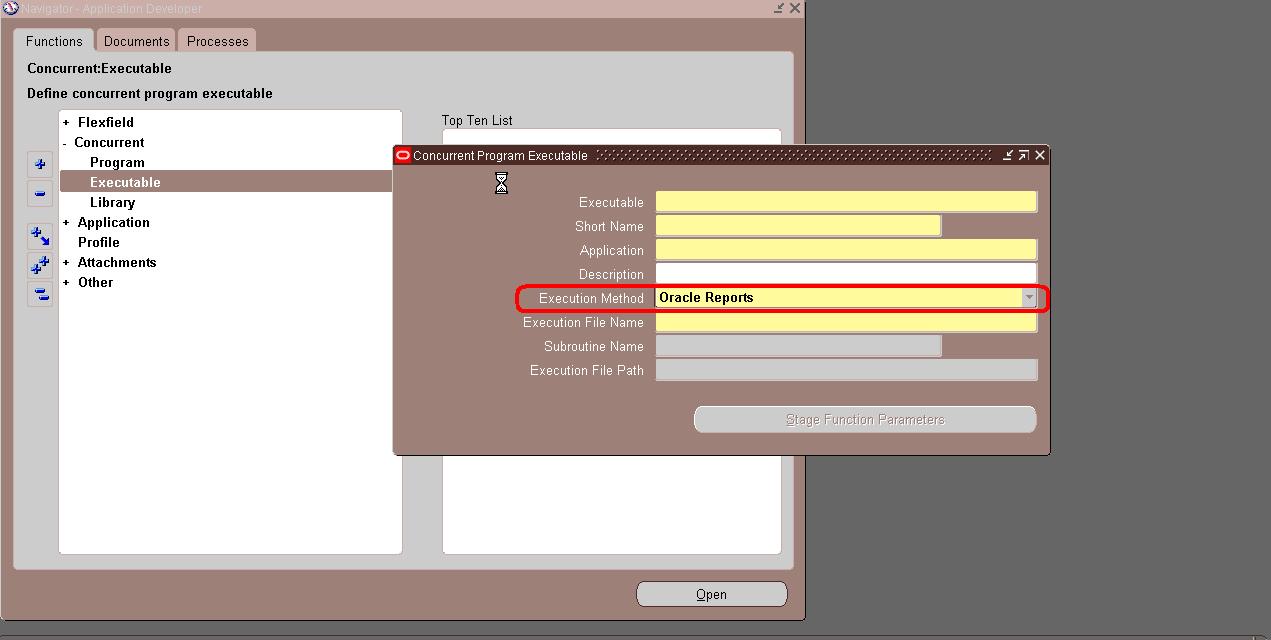
Function:(Concurrent|Executable).

Fill this fields:
 -Choose Oracle Report in Execution Method. In otherwise you can choose procedure.
 -Executable:Name of report
 -Application is the name of oracle module, i.e, Order Management, Inventory,etc.
 - Execution file name is filled with .rdf file name.


Next step is define output style of report:

Responsability:Application Devevoper.
Function:(Concurrent|Program).
Program: User name.
General Name: the same that executable name(filled before)
Application:
Executable Name:the same that executable name(filled before)
Format: text,pdf
Style:A4,A3.


Now, we are ready for define Parameters pressing Parameter button:


Sql Examples for dates:

- P_ANYO:select to_char(sysdate,'RRRR') FROM DUAL
- P_MES:elect to_char(sysdate,'MON') FROM DUAL


So at this moment new report is accesible. Finally we need assign the report to user or responsability. 

Responsability:System Administrator.
Function:(Security|Responsability|define).


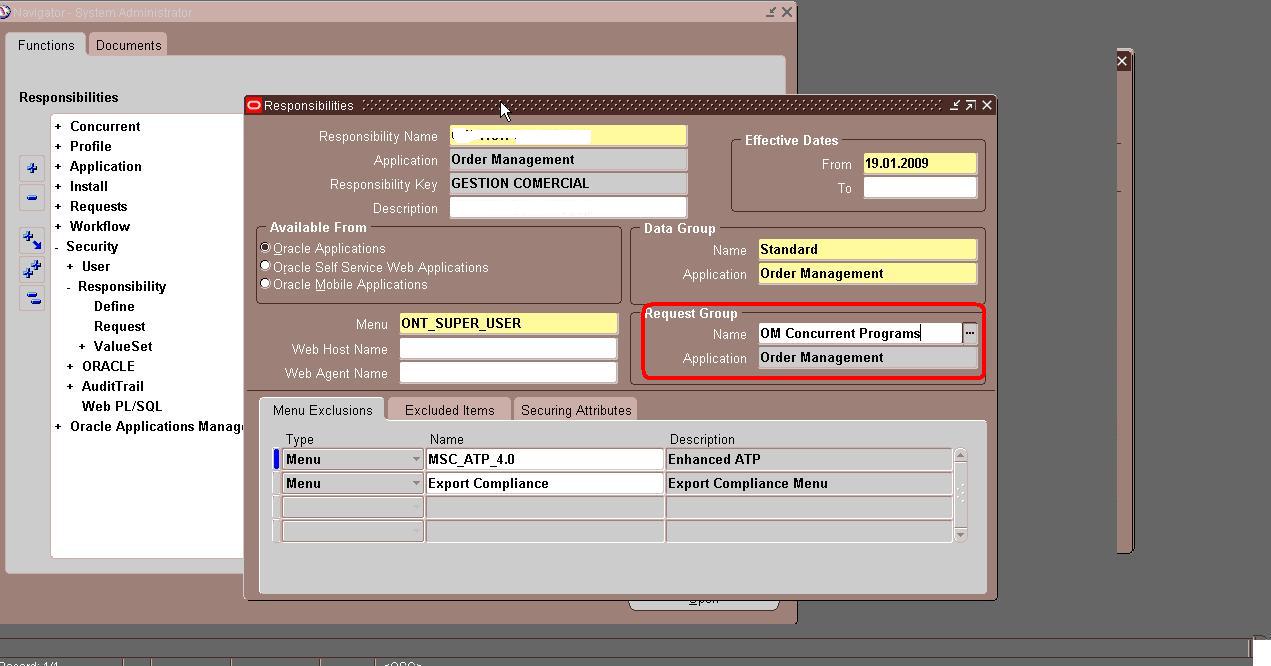
Copy name of Request Group: OM Concurrent Program and go to (Security|Responsability|request) then find with request name copy and add new line below with the program user name.


Wednesday, May 2, 2012

User cannot shipping


When a registered user cannot shipping is because he hasn't an adecuate permission or ROL.
For add permission  to user , use Commercial responsability,then  go Roles and permissions definitions | Permissions
In Shippping execution permisions form you can add or modify row with  username and appropiates permissions.
See screen below for more details:


User cannot retrieve OPM inventory information

When a registered user cannot view OPM inventoty is because he doesn't OPM organization permission. 
For changing it , use OPM System Administrador responsability and  go Setup System | User Organization.
You have to give organization permission for each user as you see below: